Disc Rot Alert: High-Risk PS1 & 3DO Multi-Disc Games
Advertisements
Disc rot can silently destroy your cherished retro game collection, particularly affecting multi-disc PS1 and 3DO titles due to manufacturing variations and environmental factors, necessitating immediate inspection to safeguard game data.
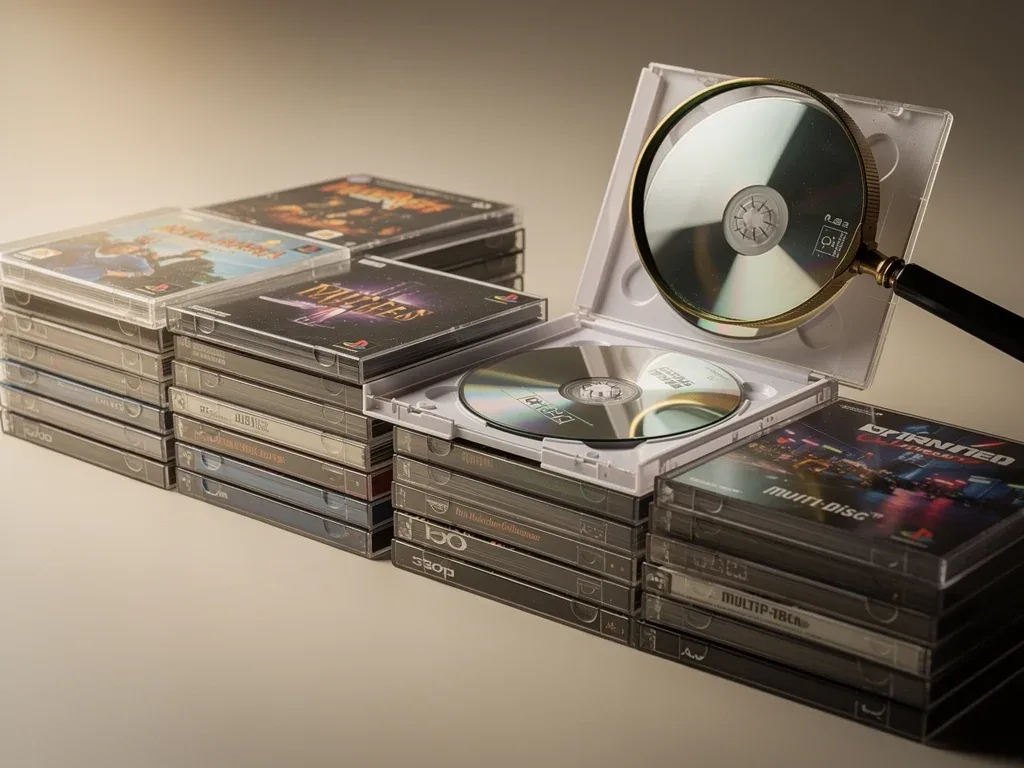
For many retro gaming enthusiasts, the physical media of their beloved PlayStation 1 (PS1) and 3DO consoles holds immense sentimental and monetary value. However, a silent and insidious threat lurks within these shiny discs: disc rot. This phenomenon, which causes irreversible damage to optical media, can quickly turn a prized game into an unplayable coaster. This comprehensive disc rot alert will delve into what disc rot is, why it disproportionately affects certain multi-disc games, and identify 7 high-risk PS1 and 3DO titles you should inspect immediately to safeguard your collection.
Understanding Disc Rot: The Silent Killer of Optical Media
Disc rot refers to the physical degradation of optical discs, such as CDs, DVDs, and in our case, PS1 and 3DO game discs. It's not a single phenomenon but rather a blanket term for various forms of physical and chemical decay that can render a disc unreadable. This degradation can manifest in several ways, from discoloration and pinholes to delamination, where layers of the disc separate. Understanding the different types of disc rot is crucial for proper identification and proactive preservation.
Types of Disc Rot and Their Appearance
There are generally two main categories of disc rot: chemical degradation and physical damage. Chemical degradation is often the more insidious of the two, as it can occur internally without obvious external signs until it's too late. Physical damage, while sometimes preventable, can also lead to similar unreadability issues.
- Disc Delamination: This occurs when the adhesive bonding the disc layers together fails, causing the reflective layer to separate from the polycarbonate substrate. It often appears as cloudy or iridescent patches, sometimes resembling an oil slick.
- Oxidation of the Reflective Layer: The metallic reflective layer (usually aluminum) can oxidize, especially if exposed to air or moisture through manufacturing defects or scratches. This often presents as dark spots or streaks on the data side, visible through the label side.
- Pinholes: Tiny holes in the reflective layer, often caused by manufacturing impurities or corrosion, can prevent the laser from reading data. These are typically visible when holding the disc up to a light source.
The appearance of disc rot can vary, but common signs include bronzing, cloudiness, pinholes, or a rainbow-like effect that isn't the normal diffraction pattern. It's essential to examine both sides of the disc carefully, especially the data side and through the label side, looking for any anomalies. Early detection is key, as disc rot is generally irreversible once it begins, and data recovery is often impossible.
The primary takeaway here is that disc rot is a real and present danger to older optical media. Its various forms can compromise the integrity of game data, leading to unplayable discs. Regular and thorough inspection of your collection is the best defense against this silent destroyer.
Why Multi-Disc PS1 and 3DO Games Are Particularly Vulnerable
While disc rot can affect any optical disc, multi-disc games from the PS1 and 3DO era often present a higher risk. This increased vulnerability stems from a combination of factors, including manufacturing processes, storage conditions, and the sheer volume of discs involved in these larger titles. Understanding these contributing elements can help collectors prioritize which games to inspect first.
Manufacturing Variations and Material Quality
The early to mid-1990s, when PS1 and 3DO consoles were popular, was a period of evolving optical disc manufacturing. Quality control standards and material compositions varied significantly between different pressing plants and even within the same plant over time. Some manufacturers used lower-quality adhesives or reflective layers that were more susceptible to environmental degradation or chemical reactions over time. This inconsistency means that not all discs are created equal in terms of longevity.
- Adhesive Quality: Poor quality adhesives used to bond the polycarbonate layers can break down over time, leading to delamination.
- Reflective Layer Composition: While aluminum was common, impurities in the aluminum or inadequate protective coatings could accelerate oxidation.
- Sealing Issues: Imperfect seals around the disc's edges could allow moisture and air to penetrate, kickstarting corrosive processes.
Furthermore, the sheer volume of discs produced for popular multi-disc games might have led to rushed production cycles, potentially compromising quality control in some batches. This makes it challenging to predict which specific discs might fail, but it certainly increases the overall risk for titles that saw widespread distribution.
Storage Conditions and Environmental Factors
Beyond manufacturing, how these discs have been stored over the past decades plays a massive role. Optical discs are sensitive to extreme temperatures, humidity, and UV light. Fluctuations in temperature can cause materials to expand and contract, stressing the adhesive bonds. High humidity can introduce moisture, accelerating oxidation of the reflective layer. Direct sunlight or strong artificial light can also degrade the disc's components over time.
Multi-disc games, by their nature, often spend more time in their original cases, which may or may not offer adequate protection. If stored in attics, basements, or garages with uncontrolled environments, the risk of disc rot increases exponentially. The cumulative effect of these factors over 20-30 years can be devastating, making vigilance an absolute necessity for collectors.
Identifying High-Risk PS1 Multi-Disc Games
The PlayStation 1 boasted an impressive library, and many of its most iconic titles spanned multiple discs, often pushing the limits of CD-ROM storage. While any PS1 game can fall victim to disc rot, certain multi-disc titles, particularly those from earlier production runs or those known for specific manufacturing quirks, warrant immediate inspection. Here are three PS1 games that should be at the top of your inspection list.
Final Fantasy VII (PS1)
Perhaps one of the most iconic multi-disc games of all time, Final Fantasy VII is a prime candidate for disc rot inspection. With its three-disc (four in some regions) epic narrative, millions of copies were produced, increasing the likelihood of manufacturing variations. Early pressings, in particular, might be more susceptible to degradation due to the manufacturing standards of the mid-to-late 90s. Collectors have reported issues ranging from minor read errors to complete disc failure, often affecting the later discs in the set as they may have been handled less frequently than the first disc.
When inspecting Final Fantasy VII, pay close attention to the inner ring of each disc, as this area is often where delamination or oxidation first appears. Check for any discoloration, clouding, or small pinholes when held up to a light source. Given its historical significance and current market value, preserving your copy of Final Fantasy VII is paramount.
Metal Gear Solid (PS1)
Another beloved multi-disc masterpiece, Metal Gear Solid, also comes on two discs, making it a high-priority title for disc rot checks. Its cinematic presentation and intricate storyline captivated players, leading to massive sales figures. Like Final Fantasy VII, the sheer volume of production and the era of its release contribute to its vulnerability. The game's reliance on extensive cutscenes and voice acting means that any degradation in data integrity can lead to freezes, audio glitches, or unplayable sections.
- Disc 1 vs. Disc 2: Often, Disc 1, being played more frequently, might show more superficial scratches, but Disc 2, handled less, could develop internal rot unnoticed.
- Reflective Layer Integrity: Look for any signs of oxidation or bronzing, particularly around the edges and center ring of both discs.
- Playability Test: If possible, test both discs thoroughly, paying attention to load times and any unexpected glitches during gameplay.
The intricate nature of Metal Gear Solid's data structure means that even minor disc rot can have significant consequences for gameplay. Regular checks of both discs are highly recommended to ensure the game remains fully playable.
Resident Evil 2 (PS1)
Resident Evil 2, with its two-disc format offering separate scenarios for Leon and Claire, is another critical PS1 title to inspect. This survival horror classic pushed the boundaries of its genre and sold millions worldwide. Its dual-disc structure, while innovative for its time, also doubles the potential points of failure from disc rot. The game's dark aesthetic and pre-rendered backgrounds mean that subtle visual degradation from disc rot might be harder to spot initially, making thorough inspection even more vital.
When examining Resident Evil 2, focus on checking the entire surface area of both discs for any unusual patterns or opacity. Given the game's popularity and the demand for complete, working copies, ensuring your discs are free from rot will protect both your enjoyment and the game's value. The intense atmosphere of Resident Evil 2 is best experienced without the interruption of disc read errors.
Identifying High-Risk 3DO Multi-Disc Games
The 3DO Interactive Multiplayer, while less commercially successful than the PS1, was a pioneering console for CD-ROM gaming. Many of its flagship titles were multi-disc affairs, showcasing the console's multimedia capabilities. Unfortunately, the earlier adoption of CD technology by 3DO means its discs can be even more susceptible to the ravages of disc rot. Here are four 3DO games that should be high on your inspection priority list.
Wing Commander III: Heart of the Tiger (3DO)
Wing Commander III: Heart of the Tiger was a monumental release for the 3DO, spanning an impressive four discs. Its full-motion video (FMV) heavy presentation was a technical marvel at the time, but it also meant a massive amount of data spread across multiple discs. The extensive use of FMV makes this game particularly vulnerable to disc rot, as even small areas of degradation can lead to noticeable visual glitches, audio dropouts, or outright playback failure during critical cutscenes.
Given the number of discs, the chances of at least one disc developing issues are statistically higher. Inspect each disc meticulously for signs of bronzing, cloudiness, or pinholes. The FMV content is stored on the disc in a sequential manner, so any damage can easily interrupt the flow of the game's immersive story. Protecting this title is crucial for fans of early interactive cinema.

The 7th Guest (3DO)
Another FMV-heavy title, The 7th Guest, was a psychological horror puzzle game that utilized two discs to deliver its intricate storyline and eerie atmosphere. As one of the 3DO's early showcase titles, its production likely predated some of the manufacturing refinements seen later in the console's life cycle. This earlier production, combined with its dual-disc format, places it at a higher risk for disc rot.
- Data Layer Vulnerability: The large files for FMV and detailed environments mean the data layer is extensively used, increasing the impact of any degradation.
- Early Production Risks: Being an earlier 3DO title, it might have been produced with less robust materials or processes compared to later games.
- Visual and Audio Glitches: Disc rot can cause significant visual pixelation, audio distortion, or skipping during the game's numerous video sequences.
When inspecting The 7th Guest, pay close attention to both discs, ensuring the reflective layer is uniform and free from any opaque spots. The game's unique atmosphere is heavily reliant on its visual and auditory presentation, which disc rot can severely compromise.
Alone in the Dark (3DO)
The 3DO version of Alone in the Dark, a pioneer in the survival horror genre, also came on multiple discs. While not as FMV-intensive as some other 3DO titles, its complex 3D environments and detailed assets still required significant storage. The game’s age and the general vulnerability of early 3DO pressings make it a prime candidate for disc rot. Collectors have reported issues with freezing and inability to load certain areas, pointing to data corruption.
Examine the discs for any signs of discoloration or haze, particularly on the data side. Holding the disc up to a bright light source can help reveal any pinholes or areas where the reflective layer has begun to degrade. Ensuring a clean and undamaged disc is vital for experiencing this foundational horror title without interruption.
Myst (3DO)
Myst, the iconic adventure game, also graced the 3DO platform across two discs. Known for its stunning pre-rendered graphics and intricate puzzles, Myst's data integrity is crucial for its immersive experience. Like other early 3DO multi-disc titles, its age and the console's manufacturing context place it in a higher risk category for disc rot. Any degradation can lead to corrupted graphics, unplayable sections, or an inability to progress through the game's intricate world.
When checking your copy of Myst, thoroughly inspect both discs for any signs of delamination or oxidation. The game's reliance on high-quality static images and sound means that even minor disc rot can significantly detract from the experience. Preserving Myst ensures that future generations can enjoy its groundbreaking artistry and challenging puzzles.

Preventative Measures and Proper Storage for Your Collection
While disc rot is often irreversible once it sets in, there are numerous preventative measures and proper storage techniques that can significantly slow down its progression and protect your valuable retro game collection. Proactive care is far more effective than reactive attempts at restoration, which are rarely successful. Implementing these practices can extend the life of your PS1 and 3DO games for many years to come.
Optimal Storage Conditions
The environment in which your discs are stored is the most critical factor in preventing disc rot. Optical discs thrive in stable, cool, and dry conditions. Avoid areas with extreme temperature fluctuations, high humidity, or direct sunlight. A consistent environment helps prevent the physical stress on disc layers and inhibits chemical reactions that lead to degradation.
- Temperature Control: Store discs in a cool, stable environment, ideally between 60-70°F (15-21°C). Avoid attics, basements, or garages.
- Humidity Control: Maintain relative humidity between 30-50%. Dehumidifiers can be useful in naturally humid climates.
- UV Protection: Keep discs away from direct sunlight and strong artificial light. Store them in opaque cases or in cabinets away from windows.
- Vertical Storage: Store discs vertically in their cases to prevent warping and pressure on the disc surface.
The original game cases, while nostalgic, may not always offer the best protection. Consider archival-quality sleeves or cases for particularly valuable or at-risk titles if their original cases are damaged or inadequate. Proper storage is the foundation of long-term disc preservation.
Handling and Cleaning Best Practices
How you handle and clean your discs also plays a significant role in their longevity. Mishandling can introduce scratches or stress the disc's layers, creating entry points for moisture and air that accelerate disc rot. Always treat your discs with care, as even minor damage can have long-term consequences.
When handling discs, always hold them by the edges or the center hole. Avoid touching the playing surface or the label side, as oils and dirt from your fingers can accelerate degradation. For cleaning, use a soft, lint-free microfiber cloth and wipe from the center outwards in a straight line, never in circles. Use a small amount of distilled water or a specialized disc cleaning solution if necessary, but avoid harsh chemicals or abrasive materials. Regular, gentle cleaning can remove dust and fingerprints without damaging the disc's delicate layers.
By adopting these preventative measures and best practices for storage and handling, you can significantly reduce the risk of disc rot affecting your PS1 and 3DO multi-disc games. Protecting your collection is an ongoing effort that pays off in sustained enjoyment and preservation of gaming history.
The Importance of Regular Inspection and Backup Solutions
Even with the best preventative measures, older optical media remains susceptible to degradation over time. This is why regular inspection and, where possible, creating backup solutions are absolutely critical for serious retro game collectors. The data on these discs represents a significant piece of gaming history, and its loss is often permanent. Proactive inspection can catch early signs of disc rot, while backups provide a safety net against inevitable physical decay.
Establishing an Inspection Routine
It's advisable to establish a routine for inspecting your most valuable or high-risk multi-disc PS1 and 3DO games. This doesn't mean checking them daily, but perhaps once or twice a year, especially for games identified in this alert. When inspecting, use good lighting and carefully examine both sides of each disc. Look for any of the signs of disc rot previously discussed: discoloration, cloudiness, pinholes, or delamination. Pay close attention to the inner and outer edges, as these are often the first areas to show signs of stress or degradation.
- Visual Check: Hold discs up to a light source to check for pinholes or transparent areas.
- Physical Check: Gently run your finger over the disc surface to detect any unevenness or peeling.
- Playability Check: Periodically load and play through critical sections of the game to ensure data integrity.
Documenting the condition of your discs can also be helpful, especially for large collections. Note any minor imperfections and monitor them over time. Early detection of disc rot means you have more time to consider backup options before the disc becomes completely unreadable.
Considering Digital Backup and Preservation
For many retro gamers, the idea of digital backups can be controversial, as it moves away from the physical media. However, given the reality of disc rot, creating digital backups (often referred to as 'ripping' or 'dumping' the game) is the most robust form of preservation. While specific legalities vary by region and individual ownership, from a purely technical preservation standpoint, a digital copy eliminates the risk of physical disc degradation entirely.
Tools and methods exist for creating ISO images of your PS1 and 3DO games. These digital files can then be stored on modern, stable storage media like hard drives or solid-state drives, which are less prone to the physical decay that affects optical discs. While this doesn't replace the joy of owning the physical disc, it ensures that the game itself remains playable for the future, regardless of the physical disc's condition. This dual approach – diligent physical care and strategic digital backup – offers the best chance for long-term preservation of your cherished multi-disc retro games.
| Key Point | Brief Description |
|---|---|
| Disc Rot Nature | Irreversible physical degradation of optical discs, often manifesting as delamination, oxidation, or pinholes, making games unplayable. |
| Vulnerable Games | Multi-disc PS1 and 3DO titles are high-risk due to varied manufacturing quality and extensive data spread across multiple discs. |
| Prevention & Care | Store discs in cool, dry conditions away from UV light, handle by edges, and clean gently to minimize degradation. |
| Inspection & Backup | Regularly inspect discs for signs of rot and consider digital backups as a robust preservation strategy for long-term playability. |
Frequently Asked Questions About Disc Rot
What exactly causes disc rot in retro games?▼Disc rot is caused by a combination of chemical degradation and physical damage. This includes oxidation of the reflective layer, delamination where disc layers separate, and manufacturing defects. Environmental factors like high humidity, extreme temperatures, and UV light accelerate these processes, leading to irreversible data loss and unplayable games.
Can disc rot be fixed or reversed once it starts?▼Unfortunately, disc rot is generally irreversible once it begins. The damage to the metallic reflective layer or the separation of disc layers cannot be repaired. While some surface scratches can be buffed out, true disc rot means the data itself is compromised, making recovery impossible. Prevention and early detection are crucial.
Why are multi-disc PS1 and 3DO games more susceptible to disc rot?▼Multi-disc games from these eras are more susceptible due to several factors. Manufacturing variations and lower quality control during the early days of CD production played a role. Additionally, having multiple discs means more surface area and more points of potential failure, increasing the overall risk of one or more discs degrading over time.
What are the key signs of disc rot I should look for?▼Look for discoloration such as bronzing or green hues, cloudiness, or an iridescent, oily appearance, especially when viewed through the label side. Pinholes, which are tiny transparent spots visible when holding the disc to a light, are also a clear indicator. Any peeling or separation of the disc layers (delamination) is also a critical sign.
What's the best way to prevent disc rot in my collection?▼The best prevention involves proper storage: keep discs in a cool, dry environment with stable temperature and humidity, away from direct sunlight. Handle discs by their edges, use soft cloths for cleaning, and consider archival-quality sleeves. Regular inspection and, for critical titles, creating digital backups are also highly recommended.
Conclusion: Safeguarding Your Retro Gaming Legacy
The threat of disc rot is a tangible concern for anyone passionate about preserving their retro gaming collection, particularly multi-disc PS1 and 3DO titles. These games represent a golden era of innovation and storytelling, and their physical media are now decades old, making them vulnerable to irreversible degradation. By understanding the causes of disc rot, recognizing the high-risk titles like Final Fantasy VII and Wing Commander III, and implementing diligent preventative measures, collectors can significantly extend the lifespan of their cherished games. Regular inspection, proper storage, and the consideration of digital backups are not just recommendations; they are essential practices for safeguarding our shared gaming heritage. Don't let disc rot claim another piece of history; take action today to protect your invaluable collection.