Mastering Fighting Game Controller Layouts: 2026 Guide
Advertisements
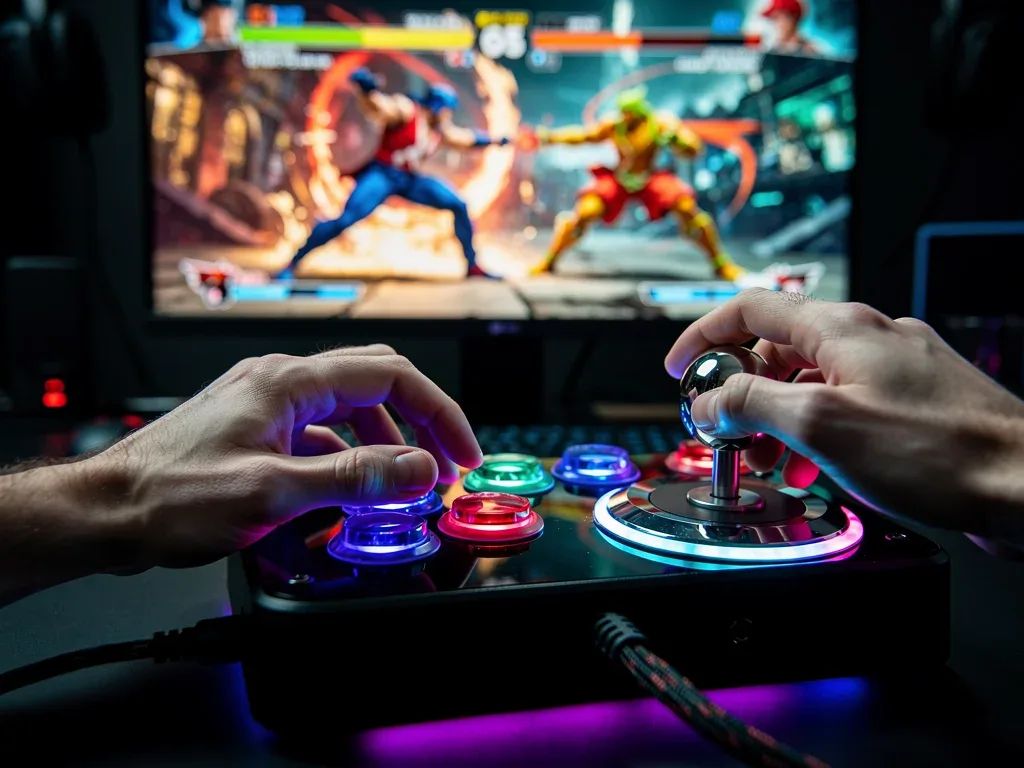
Mastering fighting game controller layouts is crucial for competitive advantage, allowing players to optimize their inputs and reaction times for peak performance in the ever-evolving landscape of 2026 fighting games.
In the high-stakes world of competitive fighting games, every millisecond and every input counts. To truly excel, players must go beyond understanding game mechanics and delve into the intricate art of optimizing their input devices. This guide focuses on mastering fighting game controller layouts, a critical skill for anyone aiming for peak performance in 2026 and beyond.
The Evolution of Fighting Game Controllers
The landscape of fighting game controllers has undergone significant transformation over the decades. From the iconic arcade cabinets of yesteryear to the sophisticated, customizable devices available today, each evolution has brought new possibilities and challenges for players seeking an edge. Understanding this journey helps contextualize the importance of modern customization.
Initially, arcade sticks were the undisputed champions, mirroring the exact setup found in arcades. Their robust construction and tactile feedback offered a direct connection to the game. However, as consoles gained prominence, gamepads became the default, leading to new control schemes and a different feel for execution. The transition forced players to adapt, and many found innovative ways to map complex commands to fewer buttons.
From Arcade Sticks to Leverless Designs
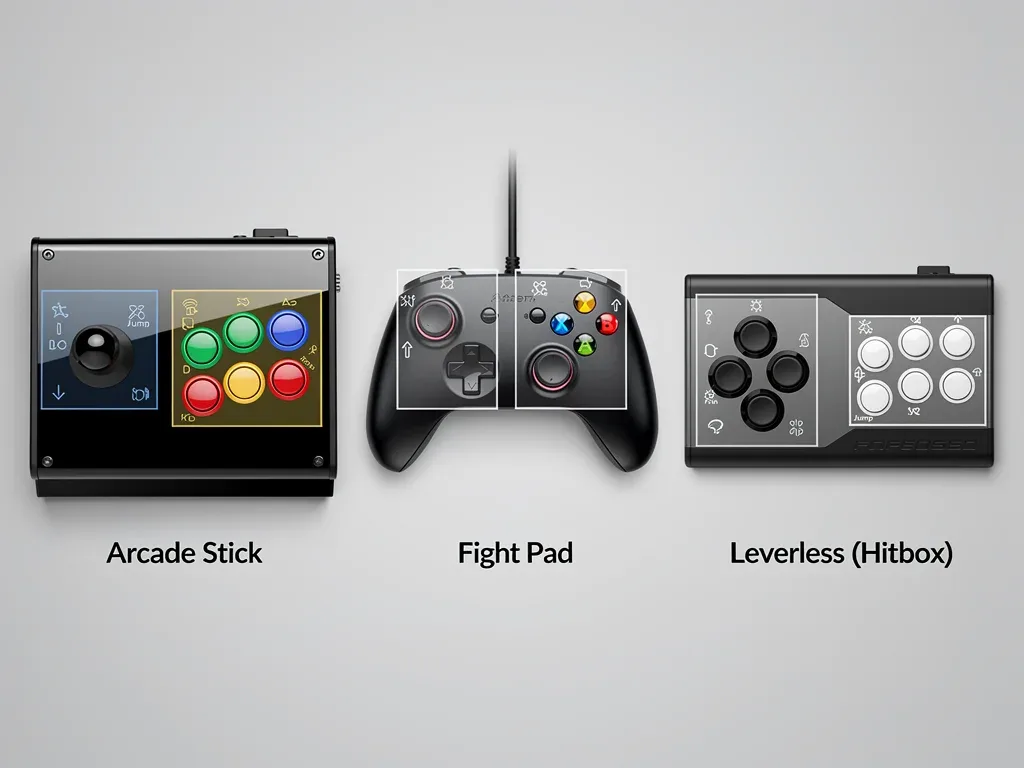
The traditional arcade stick, with its joystick and array of large buttons, remains a popular choice for many veterans. It offers precise directional input and a satisfying click with each press. However, the rise of leverless controllers, often dubbed “hitboxes,” has introduced a paradigm shift. These devices replace the joystick with a set of directional buttons, allowing for incredibly fast and precise cardinal inputs, particularly for advanced techniques that require simultaneous opposite direction presses.
- Arcade Sticks: Emulate classic arcade feel, offering tactile satisfaction and robust control.
- Gamepads: Widely accessible, suitable for casual play, but often require clever mapping for optimal fighting game performance.
- Fight Pads: Hybrid controllers designed specifically for fighting games, featuring six face buttons for easier access to commands.
- Leverless Controllers: Offer unparalleled directional precision and speed through button-only inputs, favored by many top-tier players.
The choice of controller is deeply personal and often comes down to comfort, muscle memory, and the specific demands of the game. Regardless of the hardware, the ability to customize its layout is what truly unlocks a player’s potential, allowing them to tailor the device to their unique playstyle and the game’s mechanics. The evolution continues, with manufacturers constantly innovating to provide more ergonomic and responsive options for the dedicated fighting game community.
Understanding Core Input Mechanics
Before diving into specific layouts, it’s essential to grasp the fundamental input mechanics of fighting games. These games rely on a combination of directional inputs, attack buttons, and often, special command buttons. The efficiency with which a player can execute these inputs directly impacts their success in a match. Lagging inputs or uncomfortable hand positions can lead to missed opportunities and costly mistakes.
Fighting games typically feature light, medium, and heavy attacks for punches and kicks, alongside throws, blocks, and various special moves. Executing these moves often involves complex sequences of directional inputs combined with button presses. For instance, a quarter-circle forward motion followed by a punch button is a common special move input across many titles. The goal of an optimized controller layout is to make these complex inputs feel natural and effortless.
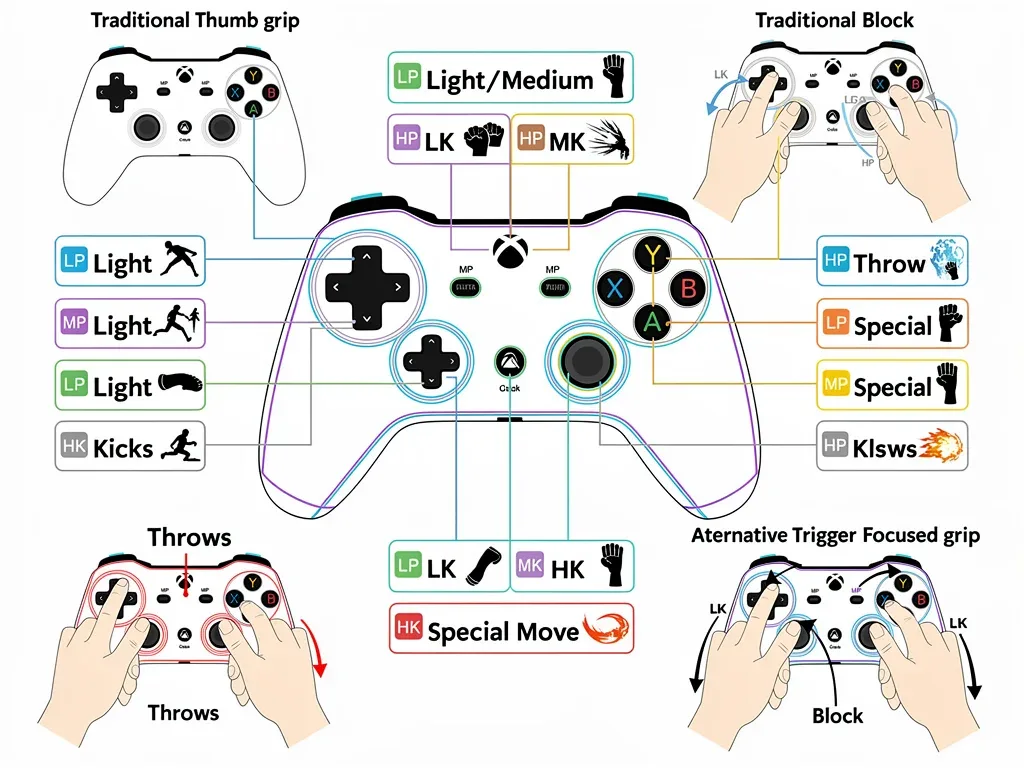
The concept of “comfort” extends beyond just the physical feel of the controller. It encompasses the psychological comfort of knowing that your fingers are positioned optimally to react instantly to any situation. This often means arranging buttons so that frequently used combinations are easy to access, and less common but critical actions are still within quick reach. Understanding the game’s character roster and their unique command lists is also vital, as different characters may benefit from slightly varied layouts.
The Importance of Ergonomics and Accessibility
Ergonomics plays a crucial role in preventing fatigue and repetitive strain injuries during long gaming sessions. A poorly designed or inadequately customized layout can lead to discomfort, reduced reaction times, and even long-term physical issues. Accessibility is also a growing concern, with manufacturers and communities striving to create controllers and layouts that accommodate a wider range of players, including those with physical limitations.
- Hand Size and Grip: Consider how your hands naturally rest on the controller and adjust button placement accordingly.
- Finger Dexterity: Map critical actions to fingers with the most independent control and speed.
- Prevention of Strain: Avoid layouts that force awkward stretches or repetitive motions in sensitive joints.
- Accessibility Options: Explore adaptive controllers or specialized layouts if standard options are not comfortable or effective.
Ultimately, a deep understanding of input mechanics and a commitment to ergonomic design are the bedrock upon which effective controller layouts are built. Without this foundation, even the most advanced customization options will fall short of delivering true peak performance. Players must invest time in both learning the game’s systems and understanding their own physical interaction with the controller.
Customizing Gamepad Layouts for Optimal Play
While arcade sticks and leverless controllers offer dedicated platforms for fighting game inputs, many players still prefer or are limited to using standard gamepads. Customizing a gamepad for fighting games requires strategic thinking to overcome its inherent limitations, such as fewer face buttons and often less precise directional input compared to a dedicated joystick or directional buttons. This section focuses on how to make a standard gamepad a formidable tool for competitive play.
The primary challenge with gamepads is often the limited number of readily accessible face buttons (usually four) and the ergonomic design that can make simultaneous presses difficult. Many fighting games, however, require six or more distinct attack inputs (light, medium, heavy punch; light, medium, heavy kick) plus throws, blocks, and other character-specific actions. The key is to intelligently map these actions to the available buttons, including shoulder buttons and triggers, to create a fluid and responsive control scheme.
Strategic Button Mapping for Gamepads
A common strategy involves mapping the primary attack buttons (light, medium, heavy punch/kick) to the face buttons, while utilizing shoulder buttons for combined inputs or less frequently used but crucial actions like throws or parries. Some players prefer to map all six attack buttons to the face and shoulder buttons, sacrificing easy access to other functions, which are then mapped to trigger combinations or directional inputs.
- Face Buttons: Assign primary attacks (e.g., LP, MP, HP, LK, MK, HK if available, or combinations).
- Shoulder Buttons (L1/LB, R1/RB): Ideal for throws, parries, or macros for special moves.
- Triggers (L2/LT, R2/RT): Can be used for specific character mechanics, stances, or even as additional attack buttons if comfortable.
- Macros: Some games allow mapping multiple inputs to a single button, which can be a game-changer for complex commands.
Experimentation is paramount. What works for one player may not work for another. Consider your character’s move set: do they rely heavily on throws? Do they have unique stance changes? Tailor your layout to emphasize the actions you’ll be performing most often and those that require the quickest reactions. The goal is to minimize finger travel and maximize comfort, allowing for seamless execution of combos and defensive maneuvers.
Advanced Techniques for Arcade Sticks and Leverless Controllers
For those who embrace the dedicated fighting game hardware, arcade sticks and leverless controllers offer a different realm of customization and advanced techniques. These devices are built from the ground up for fighting games, providing a level of precision and responsiveness that can be difficult to replicate on a standard gamepad. Mastering their layouts involves understanding not just button mapping, but also the physical interaction with the device itself.
Arcade sticks, with their larger buttons and joysticks, allow for a more spread-out hand position and often a more deliberate input style. Leverless controllers, on the other hand, prioritize speed and accuracy through their all-button design. Both require a period of adjustment for new users, but once mastered, they can unlock a player’s full potential, enabling complex inputs and rapid transitions between offensive and defensive states.
Optimizing Button Placement and Switches
Beyond simply mapping functions, arcade stick and leverless users can delve into the specifics of button placement and even the type of switches used within their buttons. Many competitive players will experiment with different button layouts within the standard eight-button configuration, shifting primary attack buttons to more comfortable positions. Furthermore, the choice of button switches (e.g., Sanwa, Seimitsu, silent switches) can significantly impact the feel and response time.
- Standard Layouts: Most arcade sticks adhere to a general layout, but slight shifts in button angle or spacing can improve comfort.
- Switch Types: Experiment with different switch brands and types for desired actuation force, travel distance, and sound.
- Leverless Directional Setup: For leverless controllers, the arrangement of directional buttons (WASD-style vs. inverted) is a key customization.
- Custom Button Caps: Some players use custom button caps for better grip or tactile differentiation.
Leverless controllers, in particular, open up unique input methods like “SOCD cleaning” (Simultaneous Opposite Cardinal Directions) which affects how simultaneous left+right or up+down inputs are registered. While most modern controllers have built-in SOCD cleaning to prevent illegal inputs, understanding its behavior is crucial for advanced techniques like instant air dashes. The continuous pursuit of the perfect input feel is a hallmark of dedicated fighting game players.
The Role of Software and Hardware Customization in 2026
As we move into 2026, the lines between hardware and software customization are increasingly blurring. Modern fighting game controllers, whether gamepads, arcade sticks, or leverless devices, often come with sophisticated companion software that allows for granular control over button remapping, macro creation, and even lighting effects. This digital layer of customization is just as important as the physical adjustments.
Many professional controllers now feature onboard memory, allowing players to save multiple profiles for different games or even different characters within the same game. This flexibility is invaluable in a tournament setting where quick adjustments are often necessary. Furthermore, third-party software and firmware modifications continue to push the boundaries of what’s possible, offering even deeper levels of control for those willing to explore.
Future Trends in Controller Customization
Looking ahead, we can anticipate even more advanced customization options. Haptic feedback, for instance, could become more sophisticated, providing tactile cues for specific actions or game states. AI-driven customization might also emerge, where software analyzes a player’s inputs and suggests optimal layouts based on their individual tendencies and common mistakes. The integration of biometric data, such as finger pressure or hand movement, could also lead to truly personalized control schemes.
- Programmable Buttons/Paddles: Beyond basic remapping, custom actions or sequences can be assigned.
- Onboard Profiles: Store multiple layouts for different games or characters, switchable on the fly.
- Macro Capabilities: Automate complex input sequences, though often restricted in competitive play.
- Firmware Updates: Manufacturers continually release updates to improve performance and add features.
The accessibility of open-source hardware and software platforms also means that the community itself will play a significant role in driving innovation. Players are increasingly building their own custom controllers, experimenting with novel designs and input methods that cater to highly specific needs. This collaborative environment ensures that controller customization will remain a dynamic and evolving aspect of fighting games.
Training and Adapting to New Layouts
Adopting a new controller layout, no matter how optimized it seems on paper, is only the first step. The real challenge lies in training your muscle memory to fully internalize the new configuration. This process requires patience, dedication, and a structured approach to practice. Simply jumping into online matches with a drastically different layout is often a recipe for frustration and poor performance.
The brain’s ability to adapt to new motor patterns is remarkable, but it doesn’t happen overnight. Consistent, deliberate practice is key. Start by spending time in training mode, executing fundamental moves and combos repeatedly. Focus on accuracy and fluidity before attempting to increase speed. Gradually introduce more complex scenarios, such as practicing against a dummy with varied responses, to simulate real match conditions.
Effective Practice Strategies for New Layouts
One highly effective strategy is to break down your practice into manageable segments. Instead of trying to master everything at once, focus on one specific aspect of your new layout each session. For example, dedicate a session to perfecting your anti-air inputs, then another to your character’s primary combo strings, and so on. This targeted approach helps build confidence and reinforces the new muscle memory without overwhelming you.
- Training Mode Immersion: Spend significant time executing all moves and combos without pressure.
- Gradual Introduction: Start with basic movements and attacks, then slowly add complexity.
- Repetition with Purpose: Don’t just spam inputs; focus on clean execution and rhythm.
- Recorded Playback: Use in-game recording features to analyze your inputs and identify areas for improvement.
It’s also crucial to be patient with yourself. There will be moments of frustration where your old muscle memory kicks in, leading to misinputs. Recognize these as part of the learning process and don’t get discouraged. Over time, with consistent effort, the new layout will become second nature, allowing you to execute commands instinctively and focus entirely on the strategic aspects of the game. The ultimate reward is a control scheme that feels like an extension of your will, enabling unparalleled expression in combat.
| Key Aspect | Brief Description |
|---|---|
| Controller Choice | Selecting the right hardware (gamepad, stick, leverless) based on comfort and playstyle. |
| Ergonomics & Mapping | Strategically assigning inputs for comfort, speed, and preventing strain. |
| Hardware/Software Customization | Utilizing tools for advanced button remapping, macros, and profile management. |
| Training & Adaptation | Dedicated practice to build muscle memory and internalize new control schemes. |
Frequently Asked Questions About Controller Layouts
Why is customizing my controller layout important for fighting games?▼Customizing your controller layout is crucial because it allows you to optimize input efficiency and reaction time. A personalized layout can reduce finger travel, enhance comfort, and prevent fatigue, directly translating to more consistent and precise execution of complex moves and combos during intense matches, giving you a competitive edge.
What’s the difference between an arcade stick and a leverless controller?▼An arcade stick uses a joystick for directional inputs and large buttons for actions, mimicking traditional arcade cabinets. A leverless controller, often called a hitbox, replaces the joystick entirely with directional buttons. This allows for incredibly fast and precise cardinal inputs, often favored for specific advanced techniques and faster execution.
Can I use a standard gamepad effectively in competitive fighting games?▼Yes, many top players successfully use standard gamepads. The key is strategic button mapping, utilizing shoulder buttons and triggers for primary attacks, throws, or macros. While they may require more creative customization than dedicated fight pads, a well-configured gamepad can be a highly effective and comfortable input device.
How long does it take to adapt to a new controller layout?▼Adapting to a new layout varies for each individual but typically takes several weeks to a few months of consistent practice. Initial frustration is normal, but dedicated time in training mode, focusing on muscle memory and deliberate execution, will gradually make the new layout feel natural and instinctive during gameplay.
What are some future trends in fighting game controller customization?▼Future trends include more sophisticated haptic feedback, AI-driven layout suggestions based on player data, and deeper integration of biometric inputs for personalized control. Open-source hardware and community-driven innovations will also continue to push the boundaries of what’s possible in controller design and customization for fighting games.
Conclusion
Mastering controller layouts for fighting games is an ongoing journey of personal optimization, technological adaptation, and dedicated practice. In the competitive landscape of 2026, the ability to tailor your input device to your unique needs and the demands of specific games is no longer a luxury but a necessity for peak performance. Whether you prefer the tactile satisfaction of an arcade stick, the precision of a leverless controller, or the versatility of a custom-mapped gamepad, the principles remain the same: prioritize ergonomics, understand game mechanics, and commit to consistent training. By investing in these areas, players can transform their controllers from mere input devices into seamless extensions of their will, unlocking their full potential and dominating the virtual arena.