Mastering 4-Finger Claw PUBG Mobile: 40% Recoil Reduction in 14 Days
Advertisements
Mastering the 4-finger claw setup in PUBG Mobile is crucial for players aiming to significantly reduce weapon recoil and enhance overall combat performance.
Are you tired of your shots missing their mark in intense PUBG Mobile firefights? The secret to unparalleled accuracy and dominance often lies in your control scheme. By adopting and mastering the 4-finger claw setup, players can unlock a new level of precision, effectively reducing weapon recoil by up to 40% in as little as 14 days. This guide will walk you through the essential steps to transform your gameplay.
Understanding the 4-Finger Claw Setup
The 4-finger claw setup is a control scheme in mobile gaming where players use four fingers (typically both thumbs and both index fingers) to control their character. This contrasts with the traditional two-thumb setup, offering a significant advantage in simultaneous actions like moving, aiming, shooting, and scoping. It's a game-changer for competitive play, providing a level of dexterity that two-thumb players simply cannot achieve.
Transitioning to the claw grip can feel awkward at first, requiring patience and consistent practice. However, the benefits in terms of reaction time and multi-tasking capabilities are immense. It allows for more fluid movement and aiming, directly impacting your ability to control weapon spray and, consequently, recoil.
Why four fingers?
- Simultaneous Actions: Unlike two-thumb players who must lift a thumb to perform certain actions (e.g., jump while shooting), four fingers allow for multiple inputs at once.
- Improved Aiming: Dedicating an index finger to firing frees up your right thumb for precise aim adjustments.
- Faster Reactions: With more fingers assigned to critical controls, your response time in combat situations dramatically improves.
The core principle behind the 4-finger claw's effectiveness in recoil reduction lies in the ability to aim and shoot without interruption. When your aiming finger isn't burdened with the firing action, it can continuously adjust for recoil, pulling down to counter the weapon's upward kick. This sustained control is what makes a significant difference in keeping your crosshair on target.
Embracing this setup means retraining your muscle memory, a process that takes dedication. However, the investment of time yields substantial returns in your PUBG Mobile performance, transforming you from a casual player into a formidable opponent on the battlefield.
Optimizing Your Button Layout for Claw
A successful 4-finger claw setup hinges on an optimized button layout. The default layout is designed for two thumbs and is highly inefficient for claw players. Customizing your controls is the first critical step to unlocking the full potential of this grip. The goal is to place frequently used buttons within easy reach of your index fingers while maintaining comfortable thumb positions for movement and camera control.
Consider placing your fire button (both left and right side) and scope button in the top corners of your screen, accessible by your index fingers. Your left thumb will remain responsible for movement (joystick), and your right thumb for camera control and precise aiming. Other essential actions like jumping, crouching, proning, and reloading should be positioned where they can be accessed quickly without disrupting your primary aim and fire flow.
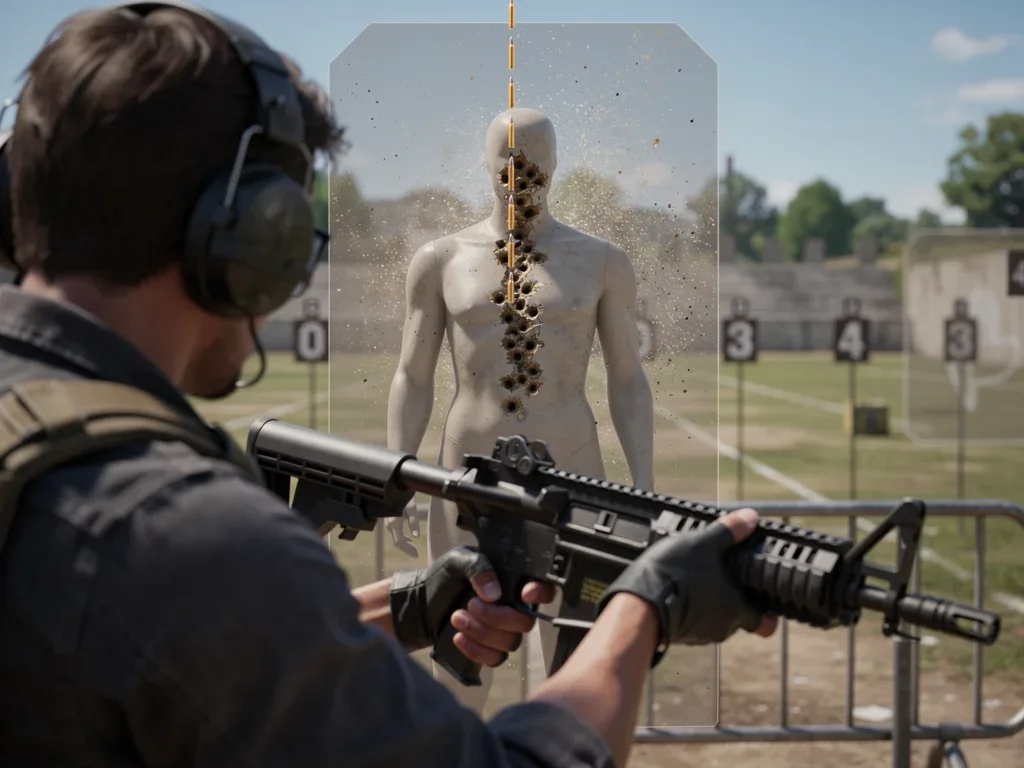
Experimentation is key here. Every player's hand size and comfort level are different. What works for one pro player might not be ideal for you. Start with a recommended layout and then fine-tune it based on your personal preferences and the specific actions you perform most often during combat. Remember to save your layout once you're satisfied.
Key button placements:
- Left Index Finger: Primary fire button (usually left side).
- Right Index Finger: Scope, secondary fire, or lean buttons.
- Left Thumb: Movement joystick.
- Right Thumb: Camera control, aiming, jump, crouch, prone.
Don't be afraid to make small adjustments over time. As you get more comfortable with the claw, you might discover new optimal positions for certain buttons that further enhance your fluidity and control. The layout should feel like a natural extension of your hands, allowing for intuitive and rapid responses in any combat scenario. This personalized optimization is crucial for maximizing recoil reduction.
Mastering Recoil Control with the Claw
Recoil control is arguably the most significant advantage of the 4-finger claw setup. With a dedicated aiming thumb and a separate firing finger, you can continuously drag your crosshair downwards to counteract the weapon's vertical recoil while simultaneously firing. This continuous input is what differentiates claw players and allows for significantly tighter bullet spreads, even at long ranges.

Gyroscope usage also plays a vital role in advanced recoil control. When combined with the claw, the gyroscope allows for micro-adjustments in aiming simply by tilting your device. This adds another layer of precision, especially when tracking moving targets or making rapid adjustments to counter unexpected recoil patterns. Practice combining thumb drag with gyroscope movements for ultimate control.
Start by practicing with weapons known for high recoil, such as the AKM or M762. Focus on spraying full auto at static targets in the training ground, observing the bullet spread. Gradually, you'll notice your ability to keep the crosshair centered improving. The goal is to achieve tight groupings, even when emptying an entire magazine.
Recoil control techniques:
- Thumb Drag: The primary method, continuously pulling the right thumb down to counter vertical recoil.
- Gyroscope Integration: Use subtle tilts of your device for fine-tuning aim and compensating for recoil.
- Burst Firing: For longer ranges, short bursts can be more effective than full auto, even with claw.
Remember that different weapons have different recoil patterns. Spend time in the training ground familiarizing yourself with the unique characteristics of your preferred weapons. This knowledge, combined with your refined claw technique, will enable you to predict and effectively counter recoil, leading to a substantial reduction in bullet deviation and a dramatic increase in your hit rate.
The Role of Sensitivity Settings
Sensitivity settings are the backbone of precise aiming and effective recoil control in PUBG Mobile, especially when using the 4-finger claw. Incorrect sensitivity can negate all the advantages of the claw grip. There are several sensitivity categories: camera sensitivity, ADS sensitivity, and gyroscope sensitivity. Each plays a crucial role in how your aim responds to your inputs.
Camera sensitivity affects how quickly your view moves when you swipe your screen or tilt your device (for gyroscope). ADS (Aim Down Sight) sensitivity dictates the speed of your aim when scoped in. Gyroscope sensitivity controls how much your aim shifts when you physically tilt your device. Finding the perfect balance across all these settings is an iterative process that requires careful adjustment and testing.
Start with a medium-range sensitivity and gradually adjust. For claw players, a slightly lower camera sensitivity might be beneficial for finer aim adjustments, as your dedicated aiming thumb has more freedom. However, ADS and gyroscope sensitivities might need to be higher to allow for rapid target acquisition and recoil compensation. The key is to find settings that feel natural and allow for smooth, controlled movements without overshooting or undershooting targets.
Key sensitivity areas:
- Camera Sensitivity: General look speed.
- ADS Sensitivity: Aiming speed when scoped.
- Gyroscope Sensitivity: Physical device tilt for aim.
The training ground is your best friend for calibrating sensitivity. Spend hours there, practicing sprays with various weapons at different ranges. Pay close attention to how your crosshair moves and if you're consistently able to keep it on target during full-auto sprays. Small, incremental adjustments are better than large jumps. The ideal sensitivity allows you to track targets smoothly and effortlessly, making recoil control feel intuitive.
Practice Routines for Rapid Improvement
Consistent and structured practice is paramount to mastering the 4-finger claw setup and achieving significant recoil reduction. Simply playing games with the new setup isn't enough; dedicated training sessions are essential to build muscle memory and refine your techniques. Aim for at least 30-60 minutes of focused practice daily in the training ground before jumping into classic matches.
Begin your practice by warming up with basic movement and aiming drills. Practice quick scope-ins and flick shots. Then, move on to recoil control drills. Choose a weapon, spray an entire magazine at a wall or target dummy, and observe the bullet pattern. Try to make the pattern as tight as possible by continuously pulling down on your aiming thumb and utilizing gyroscope if you have it enabled. Repeat this with different weapons and attachments.
Include drills that simulate real combat scenarios, such as spraying at moving targets or practicing peek-and-shoot techniques. The goal is to make these complex actions feel natural and automatic. Over time, your fingers will learn the precise movements required for effective recoil control, and you'll find yourself instinctively making the necessary adjustments during intense gunfights.
Effective practice drills:
- Static Target Spray: Full-auto spray at a fixed target, focusing on tight bullet grouping.
- Moving Target Tracking: Practice tracking and spraying at moving targets to improve dynamic aim.
- Peek-and-Shoot: Refine your ability to quickly pop out of cover, shoot, and return to safety.
- Gyroscope Drills: Practice fine-tuning aim and recoil compensation using only the gyroscope.
Consistency is more important than duration. Even short, daily practice sessions will yield better results than sporadic, long ones. Track your progress by noting down your bullet spread improvements. Within 14 days, with dedicated practice, you'll notice a remarkable difference in your recoil control and overall shooting accuracy, transforming your gameplay significantly.
Common Challenges and Troubleshooting
Transitioning to the 4-finger claw setup isn't without its hurdles. Many players experience initial discomfort, reduced accuracy, and frustration. These challenges are normal and part of the learning curve. The key is to identify the root cause of the problem and address it systematically rather than giving up. Patience and persistence are your greatest allies during this period.
One common issue is hand fatigue or pain. This often indicates an unoptimized button layout or an uncomfortable grip. Adjust your button sizes and positions, ensuring your fingers are not stretched or cramped. Take breaks when practicing to avoid strain. Another challenge is reduced accuracy; this is usually a temporary phase as your muscle memory adapts. Don't compare your initial claw performance to your peak two-thumb performance.
Troubleshooting involves a methodical approach. If your aim is shaky, adjust your camera sensitivity downwards. If your recoil compensation isn't effective, increase your ADS or gyroscope sensitivity slightly. If you find yourself accidentally pressing buttons, resize or reposition them. Record your gameplay and review it to identify specific areas for improvement. Seek advice from experienced claw players or watch tutorials to gain insights into their setups.
Troubleshooting tips:
- Hand Discomfort: Adjust button layout, take breaks, ensure ergonomic grip.
- Inaccurate Aim: Fine-tune camera and ADS sensitivities, practice flick shots.
- Poor Recoil Control: Adjust ADS and gyroscope sensitivities, focus on consistent downward drag.
- Accidental Button Presses: Resize or reposition problematic buttons.
Remember that improvement is a gradual process. Celebrate small victories, like a slightly tighter spray or a successful clutch kill. Stay motivated by visualizing your improved gameplay. With persistent effort and smart troubleshooting, you'll overcome these initial challenges and reap the full benefits of the 4-finger claw setup, leading to a significant reduction in recoil and a more dominant presence in PUBG Mobile.
Beyond Recoil: Advanced Claw Techniques
Once you've mastered recoil control with the 4-finger claw, the next step is to explore advanced techniques that further enhance your combat effectiveness. The versatility of the claw grip allows for complex maneuvers that are nearly impossible with a two-thumb setup, opening up new tactical possibilities and elevating your gameplay to a professional level. These techniques build upon the foundation of solid aim and recoil management.
One such technique is simultaneous peeking and shooting. With an index finger dedicated to leaning, you can quickly peek from cover, fire a few accurate shots, and immediately retreat, minimizing your exposure to enemy fire. This is incredibly effective in close-quarters combat and allows you to gain a significant advantage in duels. Another advanced technique is jump-shooting or drop-shooting while maintaining continuous fire and aim.
Furthermore, mastering quick scope switching (especially with sniper rifles) and efficient grenade usage becomes much more fluid with the claw. You can hold a grenade, cook it, and throw it while maintaining full movement and situational awareness. These actions, when performed seamlessly, can turn the tide of a battle and surprise your opponents. The key is to integrate these advanced movements into your muscle memory through repetitive practice.
Advanced claw maneuvers:
- Instant Peek-and-Shoot: Rapidly lean, fire, and return to cover.
- Jump-Shooting/Drop-Shooting: Maintain aim and fire while performing evasive jumps or drops.
- Quick Scope Switching: Seamlessly transition between different scopes or iron sights.
- Fluid Grenade Usage: Cook and throw grenades while maintaining movement and aiming.
The 4-finger claw isn't just about recoil reduction; it's about unlocking your full potential as a mobile gamer. By integrating these advanced techniques, you'll become a more unpredictable and formidable opponent. Continue to challenge yourself, experiment with new strategies, and push the boundaries of what you thought was possible on a mobile device. The battlefield awaits your mastery.
| Key Aspect | Brief Description |
|---|---|
| Claw Setup Benefits | Enables simultaneous actions, improving aim and reaction time for superior combat control. |
| Button Layout | Crucial for claw; customize fire, scope, and movement buttons for ergonomic and efficient access. |
| Recoil Control | Utilize thumb drag and gyroscope for continuous aim adjustments, significantly reducing weapon spray. |
| Practice & Sensitivity | Consistent training and fine-tuned sensitivity settings are vital for muscle memory and precision. |
Frequently Asked Questions About 4-Finger Claw in PUBG Mobile
How long does it take to get used to the 4-finger claw setup?▼Most players report feeling comfortable with the 4-finger claw setup within 7 to 14 days of consistent practice. Initial discomfort is normal, but daily dedicated training sessions in the training ground will accelerate the adaptation process significantly, building essential muscle memory for fluid control.
Will the 4-finger claw really reduce my recoil by 40%?▼Yes, with proper practice and optimized sensitivity settings, the 4-finger claw setup can drastically improve your recoil control. The ability to simultaneously aim and fire allows for continuous downward drag, leading to tighter bullet spreads and a noticeable reduction in perceived recoil, often reaching 40% or more for dedicated players.
What are the best sensitivity settings for a 4-finger claw?▼Optimal sensitivity settings are highly personal. Start with a balanced medium sensitivity for camera, ADS, and gyroscope. Then, incrementally adjust them in the training ground. Focus on achieving smooth aiming and effective recoil compensation without overshooting targets. Many pro players prefer higher gyroscope sensitivity for micro-adjustments.
Is the 4-finger claw suitable for all mobile devices?▼The 4-finger claw setup is generally suitable for most smartphones and tablets. However, larger screens might offer more comfort and space for button placement. Ensure your device allows for multi-touch inputs without issues. Players with smaller hands might need to adjust button sizes and positions more carefully to avoid strain or discomfort.
What if I experience hand pain or discomfort?▼Hand pain or discomfort is a common initial challenge. It usually indicates an unoptimized button layout or an overly strained grip. Take frequent breaks, adjust your button sizes and positions to ensure a natural finger resting position, and consider ergonomic phone grips. If pain persists, consult a health professional.
Conclusion
Mastering the 4-finger claw setup in PUBG Mobile is more than just adopting a new grip; it's a commitment to elevating your gameplay. By systematically optimizing your button layout, fine-tuning your sensitivity, and engaging in consistent, focused practice, you can dramatically improve your recoil control and overall combat efficiency. The journey might present initial challenges, but the rewards of enhanced precision, faster reactions, and a more dominant presence on the battlefield are well worth the effort. Embrace the claw, dedicate yourself to the process, and witness your PUBG Mobile skills transform within weeks.