Parental Controls for Mobile Gaming: Safe Kids in 2026
Advertisements

Effectively implementing parental controls for mobile gaming in 2026 is crucial for safeguarding children’s online experiences, balancing entertainment with protection against inappropriate content, excessive screen time, and privacy risks.
As mobile gaming continues its meteoric rise, becoming an integral part of children’s entertainment, the need for robust parental controls mobile gaming has never been more pressing. In 2026, understanding and implementing these safeguards is paramount to ensuring a safe, healthy, and balanced digital experience for your kids.
Understanding the Evolving Landscape of Mobile Gaming in 2026
The mobile gaming landscape in 2026 is a vibrant, ever-expanding universe, offering everything from educational puzzles to immersive multiplayer online experiences. This evolution brings incredible opportunities for learning and entertainment, but also introduces new complexities for parents navigating their children’s digital lives. Games are no longer simple diversions; they are often interconnected worlds with social elements, in-app purchases, and persistent online communities.
The sheer volume and variety of games available on app stores can be overwhelming. Many titles are designed with sophisticated engagement loops that can be particularly compelling for young minds, sometimes blurring the lines between healthy play and excessive use. Recognizing the nature of these games is the first step toward effective parental oversight.
The Rise of In-App Purchases and Microtransactions
One of the most significant shifts in mobile gaming has been the prevalence of in-app purchases (IAPs) and microtransactions. These can range from cosmetic items to essential gameplay advantages, often enticing children to spend real money without fully understanding the financial implications. Games are frequently free to download, but their monetization relies heavily on these internal transactions, creating a potential financial pitfall for unsuspecting families.
- Unintended Spending: Children might not grasp that virtual currency or items cost real money.
- Pay-to-Win Dynamics: Some games offer advantages to players who spend money, creating an unfair environment.
- Subscription Models: Many games now offer monthly or annual subscriptions for premium content, adding another layer of recurring cost.
The allure of unlocking new levels, characters, or power-ups can be incredibly strong for children, making it difficult for them to resist these prompts. Parents need to be acutely aware of how these monetization strategies work to protect their finances and teach their children about responsible digital consumption. This aspect alone makes robust parental controls an absolute necessity.
Beyond the financial implications, the social dynamics within mobile games are also evolving. Many games include chat functions, friend lists, and opportunities for interaction with other players, some of whom may be strangers. While social play can be positive, it also necessitates careful monitoring to prevent exposure to inappropriate language, cyberbullying, or interactions with malicious individuals. Understanding these multifaceted changes is fundamental to applying effective parental controls that truly protect children in the modern mobile gaming era.
Setting Up Device-Level Parental Controls for Mobile Gaming
Device-level parental controls are the foundational layer of protection for mobile gaming. Both iOS and Android operating systems offer built-in features that allow parents to manage app access, screen time, and content filters directly on the device. These tools are often robust and provide a comprehensive starting point for creating a safe digital environment for your children.
For Apple devices, features like Screen Time provide detailed insights into app usage, allow for content and privacy restrictions, and facilitate communication limits. Android devices, often through Google’s Family Link, offer similar functionalities, enabling parents to oversee app downloads, set time limits, and even locate their child’s device. Familiarizing yourself with these native settings is critical before exploring third-party solutions.
iOS Screen Time: A Comprehensive Toolkit
Apple’s Screen Time offers a powerful suite of controls that can be tailored to individual children and devices. It goes beyond simple time limits, providing granular control over various aspects of mobile device usage. Setting it up involves creating a passcode that only parents know, preventing children from altering the restrictions.
- App Limits: Set daily time limits for specific apps or categories of apps, like games.
- Content & Privacy Restrictions: Block inappropriate content, restrict in-app purchases, and prevent explicit language.
- Downtime: Schedule periods when only approved apps and phone calls are allowed, promoting breaks.
Screen Time also provides activity reports, giving parents a clear picture of how their child is spending their time on the device. This data is invaluable for initiating conversations about screen habits and adjusting rules as needed. Leveraging these features effectively requires regular review and adaptation to your child’s evolving needs and the games they are playing.
Android Family Link: Google’s Solution for Families
Google’s Family Link provides a suite of tools for Android devices, allowing parents to manage their children’s accounts and devices remotely. It’s particularly effective for younger children who are just getting their first smartphone or tablet. Family Link integrates directly with Google accounts, making it seamless for families already using Google services.
With Family Link, parents can approve or block apps their child wants to download from the Google Play Store, monitor app usage, and set daily screen time limits. It also includes a bedtime feature, locking the device during specified hours, and a device location feature for added peace of mind. The ability to manage these settings from your own device offers convenience and control. Both iOS and Android platforms are continuously updating these features, so staying informed about the latest functionalities is key to maintaining effective device-level controls.
Leveraging Third-Party Parental Control Apps and Software
While device-level controls provide a strong baseline, third-party parental control apps and software often offer more advanced features and cross-platform compatibility. These dedicated solutions can provide a more centralized approach to managing multiple devices and offer functionalities not always available in native operating system settings. Choosing the right third-party app depends on your family’s specific needs and the devices your children use.
Many of these apps come with dashboards that allow parents to monitor activity, adjust settings, and receive alerts from a single interface, often accessible from their own smartphone or computer. This centralized management can be incredibly convenient for busy parents trying to keep track of multiple children and devices.
Advanced Features Offered by Dedicated Apps
Dedicated parental control applications often go beyond basic screen time and app blocking, providing a deeper level of oversight and protection. These advanced features can address specific concerns that native controls might not fully cover, offering a more tailored approach to digital safety.
- Web Filtering: Block access to inappropriate websites and content within browsers and apps.
- Social Media Monitoring: Some apps offer insights into social media activity, flagging potential issues.
- Location Tracking: Keep track of your child’s physical location through their device.
- Activity Reports: Detailed reports on app usage, search history, and time spent online.
These features provide a more holistic view of your child’s online interactions, extending beyond just mobile gaming. They can be particularly useful for older children who might be exploring more complex online environments. However, it’s crucial to choose reputable apps that prioritize privacy and data security, as they will have access to sensitive information.
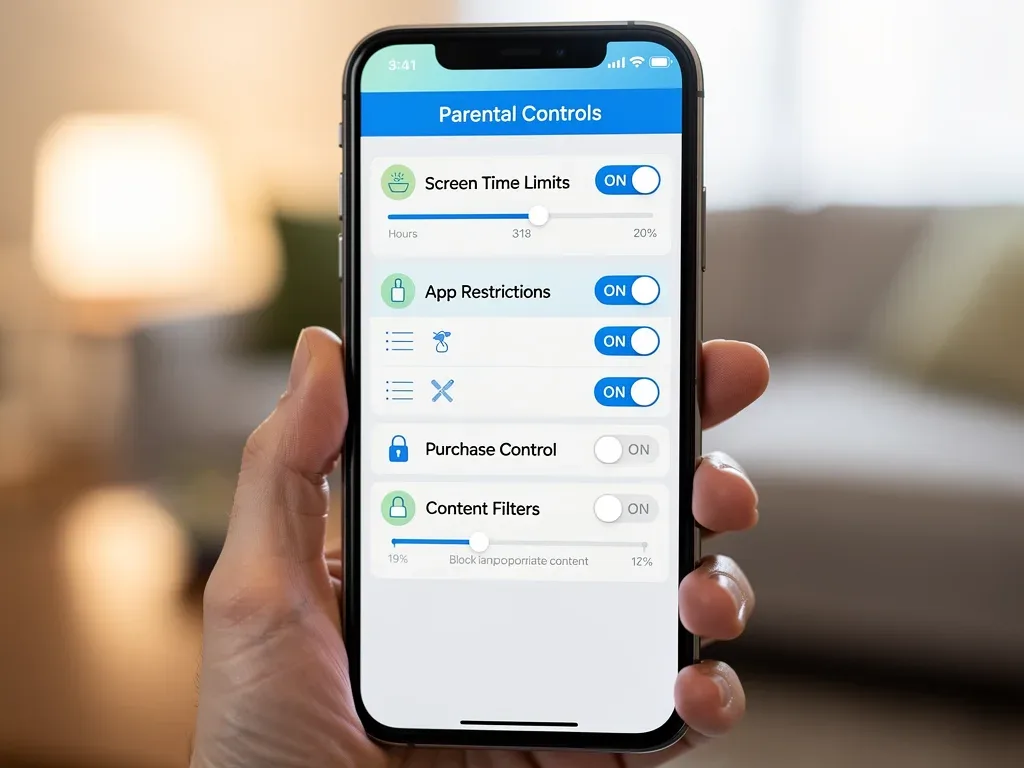
Choosing the Right Third-Party Solution
The market for parental control software is vast, with many options available, each with its own set of features and pricing models. When selecting a solution, consider factors such as compatibility with your devices, the specific features you need, ease of use, and customer support. Reading reviews from other parents and consulting independent technology reviews can help in making an informed decision.
It’s also important to involve your children in the discussion, explaining why these tools are being used. Transparency can foster trust and encourage cooperation, rather than making them feel spied upon. Ultimately, the best third-party solution is one that fits your family’s unique digital habits and promotes a healthy, open dialogue about online safety. This combination of technology and communication is essential for effective digital parenting.
Managing In-App Purchases and Financial Controls
One of the most significant financial risks associated with mobile gaming for children is the ease with which in-app purchases (IAPs) can be made. Many games are free to download, but their business model relies heavily on microtransactions, which can quickly add up if not properly managed. Parents must implement robust financial controls to prevent accidental or unauthorized spending, protecting their wallets and teaching children about money management.
Both iOS and Android platforms offer built-in mechanisms to restrict or require authorization for in-app purchases. These settings are crucial for any parent whose child engages with mobile games. Beyond device settings, open communication about the value of money and the nature of digital purchases is equally important.
Restricting In-App Purchases on iOS and Android
Preventing unauthorized IAPs is straightforward on most mobile devices. For iOS users, this functionality is found within Screen Time’s Content & Privacy Restrictions, where you can disable in-app purchases entirely or require a password for every transaction. This ensures that no purchase can be made without explicit parental consent, typically requiring the parent’s Apple ID password.
- iOS: Go to Settings > Screen Time > Content & Privacy Restrictions > iTunes & App Store Purchases > In-app Purchases.
- Android: Open Google Play Store app > Menu > Settings > Authentication > Require authentication for purchases.
On Android devices, parents can set up similar restrictions through the Google Play Store settings, requiring a password for all purchases. Google Family Link also allows parents to approve or deny purchase requests from their child’s device, giving an extra layer of control. Regularly reviewing these settings is vital, especially as children grow older and become more tech-savvy.
Teaching Financial Literacy in the Digital Age
While technological controls are essential, they should be complemented by ongoing conversations about financial literacy. Explain to your children how in-app purchases work, why some items cost real money, and the importance of budgeting. This education can transform a potential pitfall into a valuable learning opportunity.
Consider setting up a system where children earn digital currency or gift cards for games through chores or good behavior, teaching them to value their spending. This approach not only prevents unexpected bills but also empowers children to make informed decisions about their digital entertainment. By combining strict controls with educational discussions, parents can effectively manage the financial aspects of mobile gaming and foster responsible digital habits.
Setting Healthy Screen Time Limits and Schedules
One of the biggest challenges parents face with mobile gaming is managing screen time. While mobile games offer entertainment, excessive use can lead to negative impacts on physical health, academic performance, and social development. Establishing clear, consistent screen time limits and schedules is fundamental to promoting a balanced lifestyle for children in 2026.
Effective screen time management isn’t just about setting a timer; it’s about creating a holistic schedule that integrates gaming with other activities like homework, outdoor play, and family time. This approach helps children develop self-regulation and understand the importance of moderation.
Implementing Daily and Weekly Time Limits
Most parental control tools, both native and third-party, offer robust features for setting daily or weekly screen time limits. These limits can be applied to the entire device, specific gaming apps, or categories of apps. It’s often beneficial to start with reasonable limits and adjust them based on your child’s behavior and needs.
- Daily Caps: Set a maximum number of hours or minutes for gaming each day.
- App-Specific Limits: Restrict time on particularly addictive games while allowing more time for educational apps.
- Downtime Schedules: Schedule specific periods, like school hours or bedtime, when gaming is entirely blocked.
Communicating these limits clearly and explaining the rationale behind them is crucial. Children are more likely to adhere to rules they understand and feel are fair. Consistency is also key; enforcing the limits regularly helps children internalize the boundaries and expectations.
Creating a Balanced Digital and Real-World Schedule
Beyond simply limiting screen time, parents should actively help children create a balanced schedule that prioritizes a variety of activities. Encourage participation in sports, creative hobbies, reading, and face-to-face social interactions. Mobile gaming should be one component of a child’s leisure time, not the sole focus.
Consider using a family media plan, a written agreement that outlines screen time rules, content guidelines, and designated tech-free zones or times (e.g., during meals or before bed). This collaborative approach empowers children to take ownership of their digital habits and fosters a healthier relationship with technology. Regular check-ins and adjustments to the schedule ensure it remains relevant and effective as children grow and their interests change. The goal is to cultivate a digital environment where mobile gaming is enjoyed responsibly and doesn’t overshadow other important aspects of a child’s development.
Addressing Content Filters and Communication Safety
The internet, and by extension mobile gaming, is a vast space that can expose children to content and interactions that are not age-appropriate or safe. Implementing strong content filters and teaching communication safety are critical components of parental controls for mobile gaming in 2026. This involves not only blocking explicit material but also guiding children on how to interact safely with others online and recognize potential dangers.
Content filters work by blocking access to websites, apps, or in-game content deemed unsuitable for children. Communication safety, on the other hand, focuses on educating children about appropriate online behavior and how to protect their personal information when interacting with other players.
Implementing Robust Content Filters
Most parental control systems, whether built into the device or provided by third-party apps, offer content filtering capabilities. These filters can restrict access to apps based on age ratings (like ESRB or PEGI), block specific websites or categories of content, and even filter out explicit language in chat functions within games. Setting these up correctly is vital to shielding children from harmful or inappropriate material.
- Age-Based Restrictions: Utilize app store ratings to only allow downloads of age-appropriate games.
- Web Filters: Block access to adult content, violence, or other undesirable websites within browsers.
- Safe Search: Ensure safe search options are enabled on search engines used on the device.
Regularly reviewing and updating these filter settings is important, as new content emerges constantly. It’s also wise to have discussions with your child about why certain content is restricted, helping them understand the dangers rather than just feeling arbitrarily limited. This open dialogue builds their critical thinking skills regarding online information.

Teaching Safe Online Communication
Many mobile games include multiplayer features with chat functions, voice chat, and friend lists. While these can enhance the gaming experience, they also introduce risks related to online predators, cyberbullying, and exposure to inappropriate language from strangers. Teaching children about safe online communication is paramount.
Educate your children about the importance of never sharing personal information online, such as their full name, address, school, or photos. Teach them to recognize and report suspicious or uncomfortable interactions to a trusted adult. Encourage them to use pre-set chat phrases if available, or to only communicate with people they know in real life. Emphasize that not everyone online is who they claim to be and that it’s okay to disengage from any conversation that makes them feel uneasy. This proactive approach to communication safety empowers children to navigate the social aspects of mobile gaming more securely, fostering a sense of responsibility and self-protection.
The Importance of Open Communication and Digital Literacy
While technological parental controls are indispensable, their effectiveness is significantly amplified when coupled with open communication and a focus on digital literacy. In 2026, simply blocking or monitoring is not enough; parents must actively engage with their children about their online experiences, fostering an environment of trust and understanding. This approach helps children develop the critical thinking skills needed to navigate the digital world safely and responsibly on their own.
Digital literacy goes beyond knowing how to use a device; it encompasses understanding online risks, recognizing manipulative design, and developing healthy digital habits. Parents are the primary educators in this crucial area, guiding their children through the complexities of the internet and mobile gaming.
Fostering an Environment of Trust and Dialogue
Children are more likely to come to parents with concerns or problems if they feel they can do so without fear of judgment or immediate punishment. Establishing open lines of communication means listening actively to their gaming experiences, asking about the games they play, and showing genuine interest. This creates a safe space for them to discuss anything from cyberbullying to encountering inappropriate content.
- Regular Check-ins: Have informal conversations about their online activities.
- Shared Experiences: Play games with your children to understand their appeal and potential risks.
- Empathy and Support: React with understanding if they encounter a problem, focusing on solutions.
When children feel heard and supported, they are more likely to disclose issues, allowing parents to intervene and provide guidance. This trust is far more powerful than any technological barrier alone, as it equips children with the confidence to handle difficult situations independently.
Educating Children on Digital Citizenship and Risks
Digital literacy involves teaching children to be responsible, respectful, and safe online citizens. This includes understanding privacy settings, recognizing phishing attempts, identifying misinformation, and comprehending the permanent nature of online actions. For mobile gaming, this means discussing the potential for in-game scams, the importance of strong passwords, and the implications of sharing personal data.
Discuss the concept of digital footprint and how their online actions can have real-world consequences. Encourage them to think critically about what they see and hear online, and to question information. By empowering children with this knowledge, parents are not just protecting them from immediate threats but are also preparing them to be responsible and discerning digital citizens in an increasingly interconnected world. This educational component is the cornerstone of truly effective parental controls in the long term.
Future Trends and Staying Ahead in Parental Controls for Mobile Gaming
The world of mobile gaming is constantly evolving, and so too must the strategies for parental controls. In 2026, parents need to be aware of emerging trends and technologies to stay one step ahead in ensuring their children’s safety. This proactive approach involves continuous learning, adapting strategies, and embracing new tools as they become available. The digital landscape for children is dynamic, and effective parenting requires an equally dynamic response.
From advancements in artificial intelligence within games to the rise of augmented reality (AR) and virtual reality (VR) on mobile platforms, new challenges and opportunities for parental oversight will inevitably emerge. Staying informed about these developments is not just beneficial, but essential.
Emerging Technologies and Their Impact
New technologies are continually reshaping the mobile gaming experience. Augmented Reality (AR) games, for instance, blend digital content with the real world, raising questions about physical safety and location privacy. Virtual Reality (VR) mobile gaming, though still nascent, could introduce immersive experiences that blur the lines of reality, requiring new considerations for content and psychological impact. Artificial intelligence (AI) is also being integrated into games, creating more adaptive and personalized experiences that might be harder to monitor.
- AR/VR: New privacy concerns related to real-world environments and immersive content.
- AI Personalization: Games adapting to individual players might present unique challenges for content filtering.
- Cloud Gaming: Access to a wider library of games on mobile devices, potentially bypassing traditional app store controls.
Understanding these technological shifts is crucial for anticipating future risks and adapting parental control strategies. Parents should research how these technologies work and what safeguards are being developed to address potential issues. This forward-thinking approach ensures that protective measures remain relevant.
Continuous Learning and Adapting Strategies
Effective parental control is not a one-time setup; it’s an ongoing process of learning, adaptation, and dialogue. As children grow, their needs, interests, and the games they play will change. What works for a 7-year-old might be ineffective or overly restrictive for a 12-year-old. Therefore, parents must commit to continuous learning about new games, apps, and online trends.
Engage with online parenting communities, read tech blogs, and stay updated on software updates for parental control apps and device operating systems. Regularly review your family’s digital rules and adjust them collaboratively with your children. The goal is to evolve your parental control strategies in sync with your child’s development and the ever-changing digital world, ensuring a flexible yet firm framework for safe mobile gaming. This adaptability is key to long-term success in digital parenting.
| Key Aspect | Brief Description |
|---|---|
| Device Controls | Utilize built-in iOS Screen Time or Android Family Link for fundamental management. |
| Financial Management | Restrict in-app purchases and teach children about digital spending. |
| Screen Time Limits | Set daily limits and create balanced schedules for healthy digital habits. |
| Communication Safety | Educate children on safe online interactions and content filtering. |
Frequently Asked Questions About Parental Controls for Mobile Gaming
What are the most common risks for kids in mobile gaming?▼Common risks include exposure to inappropriate content, excessive screen time leading to health issues, uncontrolled in-app purchases, cyberbullying, and interactions with strangers. Mobile games often have sophisticated engagement mechanics that can be particularly compelling for children, making these risks more pronounced.
How do I set up basic parental controls on my child’s phone?▼For iOS, use Screen Time in Settings to manage app limits, content, and privacy. For Android, Google Family Link allows you to supervise app downloads, set screen limits, and filter content. Both offer password protection to prevent children from altering settings.
Are third-party parental control apps necessary?▼While native device controls are good, third-party apps often provide more advanced features like detailed web filtering, social media monitoring, and centralized management across multiple devices. They can be beneficial for deeper oversight and cross-platform consistency, offering a more tailored approach.
How can I prevent my child from making unauthorized in-app purchases?▼On iOS, disable in-app purchases or require a password for every transaction via Screen Time settings. On Android, configure Google Play Store settings to require authentication for all purchases. Also, educate your child about the value of money and digital spending.
What role does communication play in effective parental controls?▼Open communication is paramount. It fosters trust, encouraging children to share concerns. Discussing online risks, digital citizenship, and the rationale behind rules empowers children to make safe choices independently, complementing technological safeguards and building their critical thinking skills.
Conclusion
Navigating the complex world of mobile gaming in 2026 requires a multifaceted approach to parental controls. It’s a blend of leveraging robust technological tools, from device-native settings like iOS Screen Time and Android Family Link to advanced third-party applications, combined with an unwavering commitment to open communication and digital literacy. By actively managing screen time, restricting in-app purchases, implementing content filters, and most importantly, engaging in ongoing dialogue with children about online safety, parents can ensure that mobile gaming remains a source of positive entertainment and learning. The digital landscape will continue to evolve, making continuous learning and adaptation the cornerstones of effective digital parenting, ultimately fostering a secure and balanced experience for the next generation of gamers.