iOS 19 Game Mode Tweaks: Eliminate 50ms Input Lag for Mobile Esports
Advertisements
Mastering iOS 19 Game Mode tweaks is crucial for competitive mobile gaming, allowing players to significantly reduce controller input lag by up to 50ms for a superior esports experience.
For serious mobile gamers and aspiring esports professionals, even a fraction of a second can determine victory or defeat. The introduction of iOS 19 Game Mode Tweaks: How to Eliminate the 50ms Input Lag on Mobile Esports Controllers marks a pivotal moment, offering unprecedented control over your gaming experience. This guide will delve into how these new optimizations can transform your gameplay, giving you the competitive edge you’ve always sought.
Understanding the Impact of Input Lag in Mobile Esports
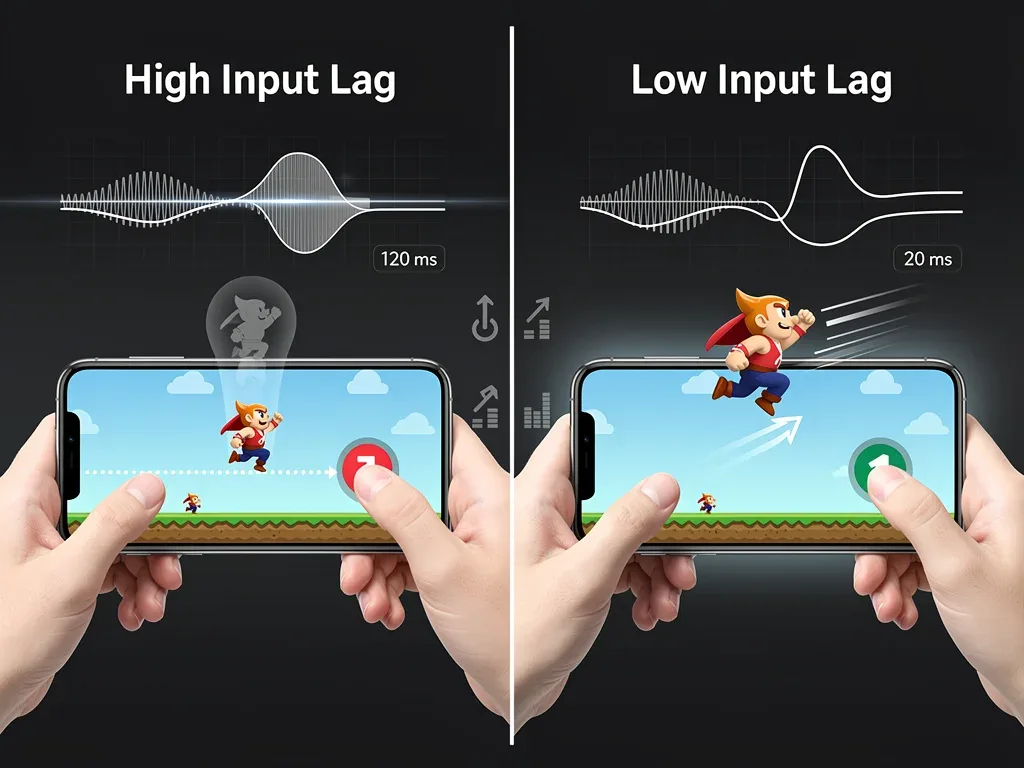
Input lag, often an invisible enemy, can be the most frustrating aspect of competitive mobile gaming. It refers to the delay between your action on a controller and the corresponding reaction on your screen. While a few milliseconds might seem negligible, in fast-paced esports titles, this delay can be the difference between a perfectly timed headshot and a missed opportunity.
The severity of input lag can vary based on several factors, including your device's processing power, the game's optimization, and crucially, the efficiency of your connection to external controllers. For mobile esports, where precision and immediate responses are paramount, even a 50ms lag can feel like an eternity, disrupting muscle memory and strategic execution.
The Science Behind Input Lag
Input lag isn't just a subjective feeling; it's a measurable phenomenon rooted in how data travels from your controller, through your device's operating system, and finally to the game engine. Several stages contribute to this delay:
- Controller Polling Rate: How frequently your controller sends data to your device.
- Bluetooth Latency: The inherent delay in wireless communication.
- Operating System Processing: How quickly iOS processes controller inputs.
- Game Engine Response: How efficiently the game interprets and acts upon the input.
Each of these steps adds a tiny fraction of a second, which accumulates into the total input lag. Recognizing these components is the first step toward effectively mitigating them with iOS 19 Game Mode tweaks.

For professional players, minimizing input lag is not a luxury but a necessity. It ensures that their skills are accurately reflected in the game, without artificial handicaps. iOS 19's enhancements aim to address these underlying technical challenges, providing a more direct and responsive pathway for controller inputs, ultimately leveling the playing field for mobile esports contenders.
Introducing iOS 19 Game Mode: A Paradigm Shift for Mobile Gaming
iOS 19 brings a dedicated Game Mode, a feature long requested by the mobile gaming community. This isn't just a simple toggle; it's a comprehensive suite of optimizations designed to prioritize gaming performance above all else. At its core, Game Mode reallocates system resources, minimizes background processes, and fine-tunes network and input pathways to deliver the smoothest, most responsive gaming experience possible.
Prior to iOS 19, mobile gamers often resorted to manual workarounds, such as closing all background apps and disabling notifications, to eke out marginal performance gains. Game Mode automates and enhances these efforts, providing a more robust and integrated solution. It's about creating an optimal environment where your device is solely focused on rendering and responding to your game.
Key Features of iOS 19 Game Mode
The new Game Mode integrates several critical functionalities that collectively contribute to reduced input lag and improved overall performance. These features work in concert to create a dedicated gaming ecosystem within your iOS device.
- CPU and GPU Prioritization: Automatically boosts processing power to the active game, ensuring maximum frame rates and graphical fidelity.
- Background Process Suspension: Temporarily pauses non-essential background tasks, freeing up RAM and CPU cycles.
- Enhanced Network Prioritization: Gives gaming traffic precedence, reducing ping and network-related delays.
- Reduced Input Latency Protocol: A new communication protocol specifically designed to minimize the delay between external controllers and the device.
These combined efforts make iOS 19 Game Mode a game-changer, especially for those using external controllers in competitive settings. The system intelligently detects when a game is launched and automatically activates these optimizations, allowing players to focus purely on their gameplay.
Deep Dive into iOS 19 Tweaks for Controller Input Lag
While Game Mode provides a broad spectrum of improvements, specific tweaks within its settings are directly responsible for the significant reduction in controller input lag. Understanding and configuring these options is crucial for achieving the advertised 50ms reduction. These aren't just cosmetic changes; they alter how your iOS device interacts with and processes data from your mobile esports controllers.
The core of these tweaks lies in optimizing the Bluetooth stack and introducing a more direct input pipeline. Traditionally, Bluetooth communication can introduce micro-delays due to various layers of processing. iOS 19's Game Mode aims to bypass or streamline these layers when a controller is active and a game is running.
Optimizing Bluetooth Connectivity
One of the most impactful tweaks involves the way iOS 19 handles Bluetooth connections for gaming controllers. The system now employs a low-latency profile specifically for recognized gaming peripherals.
- Dedicated Bluetooth Profile: Ensures a higher polling rate and reduced data packet processing.
- Interference Reduction: Actively scans and mitigates potential wireless interference from other devices.
- Power Management Optimization: Adjusts controller power settings to maintain a stable, high-speed connection without unnecessary power-saving modes that can introduce lag.
These optimizations mean your controller's commands reach your iPhone or iPad with minimal impedance, translating into a more immediate in-game response. It's about creating a dedicated, high-priority communication channel between your controller and the game.
Beyond Bluetooth, iOS 19 also refines the internal processing of input signals. A new API for game developers allows for more direct access to raw controller input data, bypassing some of the standard operating system layers that previously added latency. This developer-centric approach further solidifies the potential for eliminating significant input lag, making mobile esports more competitive than ever.
Step-by-Step Guide: Activating and Customizing Game Mode for Low Latency
Activating and customizing iOS 19 Game Mode for optimal low-latency performance is straightforward, but knowing where to find the key settings makes all the difference. This guide will walk you through the necessary steps to ensure your mobile esports controllers operate with minimal input lag, leveraging the full potential of iOS 19.
The beauty of Game Mode is its intelligent automation, but for competitive players, a little manual tweaking can yield even better results. Dive into these settings to personalize your low-latency setup and gain every possible advantage.
Enabling Game Mode Automatically and Manually
Game Mode is designed to activate automatically when it detects you're launching a game. However, you can also manually trigger it or verify its status:
- Automatic Activation: Game Mode typically engages when you open any game installed on your device. You might see a brief notification indicating its activation.
- Control Center Toggle: A new Game Mode icon appears in the Control Center. You can tap it to manually activate or deactivate it, or to quickly access its settings.
- Settings App: Navigate to
Settings > Game Modeto view global preferences and customize behaviors for specific games.
Once Game Mode is active, the real customization begins. Focus on the controller-specific settings to target that elusive 50ms input lag reduction.
Controller-Specific Latency Settings
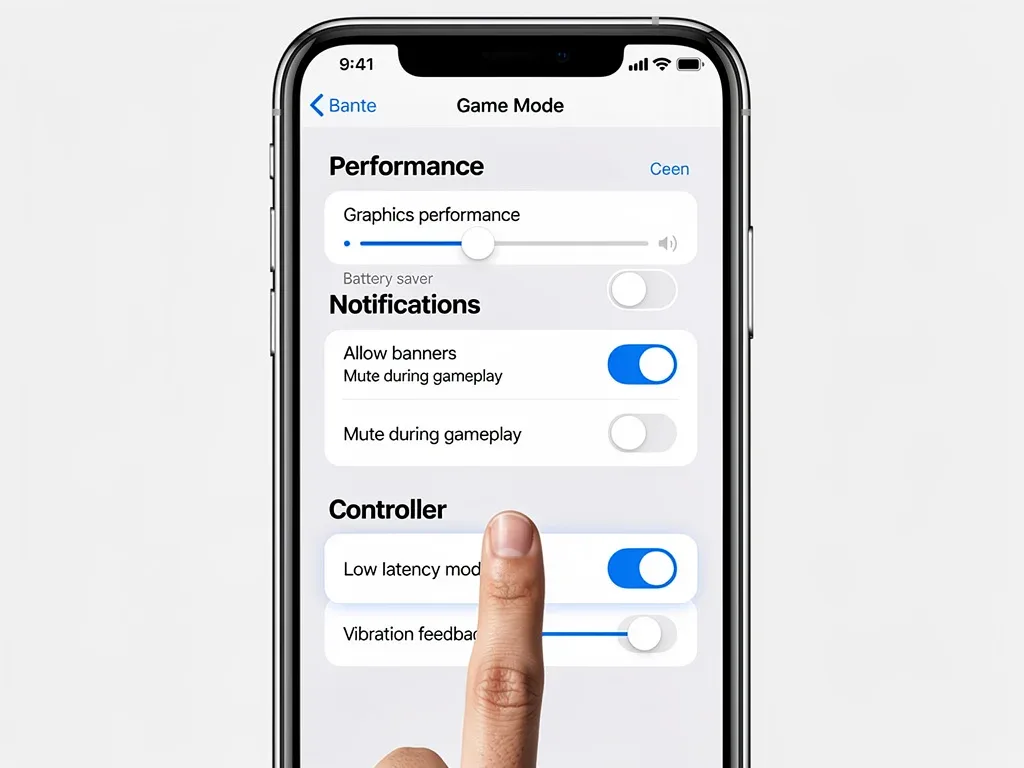
Within the Game Mode settings, look for the 'Controller Latency' or 'Input Optimization' section. This is where you can fine-tune the connection between your mobile esports controller and your iOS device.
- Low Latency Mode: Ensure this is toggled 'On'. This is the primary setting responsible for activating the new input protocol.
- Polling Rate Adjustment: Some advanced controllers, when connected, might offer options to adjust their polling rate directly within iOS. Set this to the highest available frequency for maximum responsiveness.
- Bluetooth Codec Preference: If your controller and device support it, prioritize codecs designed for low latency over high-fidelity audio, as this can sometimes impact input responsiveness.
By diligently following these steps and exploring the nuanced options within Game Mode, you can ensure your mobile esports controller is operating at its peak, providing you with the fastest possible reaction times and a truly competitive edge.
Advanced Strategies: Beyond Game Mode for Ultimate Performance
While iOS 19 Game Mode provides a significant leap in reducing input lag, competitive mobile esports players can employ additional advanced strategies to squeeze every last drop of performance from their setup. These techniques, when combined with Game Mode, create an unparalleled low-latency environment, ensuring that your skill is the only variable in your gameplay.
Achieving ultimate performance isn't just about software; it also involves hardware considerations, network stability, and even personal habits. Integrating these advanced tips will allow you to push your mobile gaming experience to its absolute limit.
Hardware and Peripheral Considerations
Your choice of mobile esports controller plays a crucial role. Not all controllers are created equal, especially when it comes to latency.
- High-Quality Controllers: Invest in controllers known for low latency and robust Bluetooth connectivity. Brands specializing in esports peripherals often prioritize minimal input delay.
- Wired vs. Wireless (When Applicable): While most mobile controllers are wireless, if you have a controller that supports a direct wired connection (e.g., via USB-C to Lightning adapter), this can sometimes offer even lower latency than Bluetooth, though it sacrifices portability.
- Firmware Updates: Regularly check for and install firmware updates for your controller. Manufacturers often release updates that improve connectivity and reduce latency.
Ensuring your hardware is optimized is as important as fine-tuning your software. A high-performance controller paired with iOS 19 Game Mode creates a formidable combination for competitive play.
Network Optimization and Environmental Factors
Beyond your device and controller, your network environment significantly impacts perceived latency, especially in online multiplayer games. While this isn't strictly input lag, it contributes to overall response time.
- Stable Wi-Fi Connection: Prioritize a 5GHz Wi-Fi network over 2.4GHz for lower interference and faster speeds.
- Ethernet Adapter (for iPads): For the ultimate stability, consider a USB-C to Ethernet adapter for iPads, bypassing Wi-Fi entirely.
- Minimize Network Congestion: Ensure other devices on your network aren't hogging bandwidth during critical gaming sessions.
- Proximity to Router: Playing closer to your Wi-Fi router can improve signal strength and reduce latency.
By meticulously addressing both software and hardware aspects, and optimizing your network environment, you can achieve a truly lag-free mobile esports experience, empowering you to perform at your absolute best.
The Competitive Edge: How 50ms Reduction Transforms Esports Gameplay
The reduction of 50ms in input lag, facilitated by iOS 19 Game Mode Tweaks: How to Eliminate the 50ms Input Lag on Mobile Esports Controllers, might seem like a small number to the casual observer. However, in the high-stakes world of mobile esports, this seemingly minor improvement translates into a monumental competitive advantage. It's the difference between reacting and anticipating, between winning and losing.
Consider games where split-second decisions are paramount, such as first-person shooters (FPS) or fighting games. In these genres, an extra 50ms of reaction time can mean missing a crucial shot or failing to block an incoming attack. The new Game Mode allows players to execute commands with a precision previously unattainable on mobile devices, bringing the mobile esports experience closer to its PC and console counterparts.
Enhanced Reaction Time and Precision
With reduced input lag, players experience a direct, almost telepathic connection to their in-game character. This leads to:
- Faster Aiming: Snapping to targets becomes more fluid and accurate, reducing overcorrection.
- Improved Movement: Navigating complex environments and dodging attacks feels more responsive.
- Better Skill Execution: Abilities and special moves can be timed perfectly, without the frustrating delay that often plagues mobile gaming.
This enhanced responsiveness builds confidence and allows players to focus on strategy and decision-making rather than battling their controls. It removes a significant barrier that previously held back the potential of mobile esports.
Ultimately, the 50ms reduction in input lag isn't just a technical spec; it's a fundamental shift in how mobile esports can be played. It empowers players to push their limits, showcasing their raw talent and strategic prowess without being hindered by hardware or software limitations. This makes mobile esports a more legitimate and thrilling competitive arena, attracting more talent and raising the overall skill ceiling.
| Key Point | Brief Description |
|---|---|
| iOS 19 Game Mode | Dedicated system optimization for gaming, prioritizing resources and reducing background tasks. |
| Input Lag Reduction | Achieve up to 50ms reduction in controller input delay for competitive play. |
| Controller Optimization | Specific settings within Game Mode to enhance Bluetooth connectivity and input processing for controllers. |
| Competitive Advantage | Faster reaction times and more precise controls directly improve player performance in esports titles. |
Frequently Asked Questions About iOS 19 Game Mode and Input Lag
What is the primary benefit of iOS 19 Game Mode for mobile esports players?▼The primary benefit is a significant reduction in input lag, potentially up to 50ms, for mobile esports controllers. This allows for faster reaction times and more precise control, giving players a crucial competitive advantage in fast-paced games where every millisecond counts.
How does iOS 19 Game Mode reduce controller input lag?▼Game Mode reduces input lag by prioritizing CPU/GPU resources for games, suspending background processes, optimizing network traffic for gaming, and implementing a new low-latency protocol for Bluetooth controller communication. These combined efforts streamline the data path from controller to game.
Do I need a specific controller to benefit from iOS 19 Game Mode's lag reduction?▼While iOS 19 Game Mode benefits most compatible controllers, high-quality mobile esports controllers with low-latency design and up-to-date firmware will yield the best results. Some advanced controllers may also offer additional in-OS settings for further optimization within Game Mode.
Are there any downsides to using iOS 19 Game Mode?▼While designed for optimal gaming, Game Mode prioritizes the active game, meaning other background apps might be temporarily paused or slowed. Battery consumption might also be slightly higher due to increased CPU/GPU utilization. However, these are generally acceptable trade-offs for competitive performance.
Can I customize Game Mode settings for individual games?▼Yes, iOS 19 allows for some customization of Game Mode settings on a per-game basis. You can access these options within the Settings app under the Game Mode section, enabling you to fine-tune performance and input optimizations for your favorite mobile esports titles.
Conclusion
The arrival of iOS 19 Game Mode is a landmark event for mobile esports, finally providing the dedicated performance optimizations that competitive players have long craved. By diligently applying the iOS 19 Game Mode Tweaks: How to Eliminate the 50ms Input Lag on Mobile Esports Controllers discussed in this guide, you can unlock a new level of responsiveness and precision. This reduction in input lag is not just a technicality; it's a direct enhancement to your ability to perform, react, and ultimately succeed in the demanding world of mobile gaming. Embrace these new capabilities to transform your gameplay and dominate the competitive landscape.